> For the complete documentation index, see [llms.txt](https://developer.collibra.com/llms.txt). Markdown versions of documentation pages are available by appending `.md` to page URLs; this page is available as [Markdown](https://developer.collibra.com/workflows/designing-workflows/processes/shape-repository/timer-boundary-event.md).

# Timer boundary event

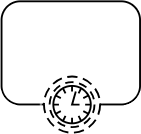
The process is delayed until a certain point in time or a specific duration is over.

<img src="/files/0SAQ5rDfvk4UoeTt35GT" alt="" width="25%">

## General properties

| Property            | Description                                                                                                                                                                                                                                                                                                                                                                                                                                                                                                                                                                                                                                                                                                                                                                                                                                                                                                                                                     |
| ------------------- | --------------------------------------------------------------------------------------------------------------------------------------------------------------------------------------------------------------------------------------------------------------------------------------------------------------------------------------------------------------------------------------------------------------------------------------------------------------------------------------------------------------------------------------------------------------------------------------------------------------------------------------------------------------------------------------------------------------------------------------------------------------------------------------------------------------------------------------------------------------------------------------------------------------------------------------------------------------- |
| Model ID            | The unique identifier of the element within the process model.                                                                                                                                                                                                                                                                                                                                                                                                                                                                                                                                                                                                                                                                                                                                                                                                                                                                                                  |
| Name                | The name of the element displayed in the diagram.                                                                                                                                                                                                                                                                                                                                                                                                                                                                                                                                                                                                                                                                                                                                                                                                                                                                                                               |
| Documentation       | A description and any additional information about this element.                                                                                                                                                                                                                                                                                                                                                                                                                                                                                                                                                                                                                                                                                                                                                                                                                                                                                                |
| Timer configuration | <p>The configuration of when the timer event fires:</p><ul><li><strong>Cycle</strong>: Use this option for repeating timers.</li><li><strong>Duration</strong>: Use this option if the timer needs to fire a certain period after the event is created.</li><li><strong>Date</strong>: Use this option to set a fixed time for the timer to fire.</li><li><p><strong>Technical</strong>: Use this option to specify any of the above in ISO 8601 format, for example:</p><ul><li><code>2026-03-20</code> for the date March 20, 2026.</li><li><code>P10D</code> for a duration of 10 days.</li><li><p><code>R3/PT10H</code> for three cycles lasting 10 hours each.</p><div data-gb-custom-block data-tag="hint" data-style="info" class="hint hint-info"><p>You can also specify a cycle using cron expressions where the first symbol denotes seconds. For example <code>0 0/5 \* \* \* ?</code> represents every five minutes.</p></div></li></ul></li></ul> |
| Cancel activity     | Whether the activity should be canceled or not.                                                                                                                                                                                                                                                                                                                                                                                                                                                                                                                                                                                                                                                                                                                                                                                                                                                                                                                 |
| Job category        | Set a specific job category for the process that this event starts.                                                                                                                                                                                                                                                                                                                                                                                                                                                                                                                                                                                                                                                                                                                                                                                                                                                                                             |

## Advanced properties

| Property            | Description                                                                                                                                                                                                                                                                                                                                       |
| ------------------- | ------------------------------------------------------------------------------------------------------------------------------------------------------------------------------------------------------------------------------------------------------------------------------------------------------------------------------------------------- |
| Execution listeners | <p>Allows you to invoke Java logic after certain events:</p><ul><li><strong>Start</strong>: Executes after the activity has been started.</li><li><strong>End</strong>: Executes after the activity was completed.</li><li><strong>Transition</strong>: When defined on a sequence flow, executes once the flow is transition is taken.</li></ul> |

## Visual properties

| Property         | Description                                         |
| ---------------- | --------------------------------------------------- |
| Font size        | The font size of the element in the diagram.        |
| Font weight      | The font weight of the element in the diagram.      |
| Font style       | The font style of the element in the diagram.       |
| Font color       | The font color of the element in the diagram.       |
| Background color | The background color of the element in the diagram. |
| Border color     | The border color of the element in the diagram.     |


---

# Agent Instructions
This documentation is published with GitBook. GitBook is the documentation platform designed so that both humans and AI agents can read, navigate, and reason over technical content effectively. Learn more at gitbook.com.

## Querying This Documentation
If you need additional information that is not directly available in this page, you can query the documentation dynamically by asking a question.

Perform an HTTP GET request on the current page URL with the `ask` query parameter:

```
GET https://developer.collibra.com/workflows/designing-workflows/processes/shape-repository/timer-boundary-event.md?ask=<question>
```

The question should be specific, self-contained, and written in natural language.
The response will contain a direct answer to the question and relevant excerpts and sources from the documentation.

Use this mechanism when the answer is not explicitly present in the current page, you need clarification or additional context, or you want to retrieve related documentation sections.
