> For the complete documentation index, see [llms.txt](https://developer.collibra.com/llms.txt). Markdown versions of documentation pages are available by appending `.md` to page URLs; this page is available as [Markdown](https://developer.collibra.com/workflows/designing-workflows/processes/shape-repository/subprocess.md).

# Subprocess

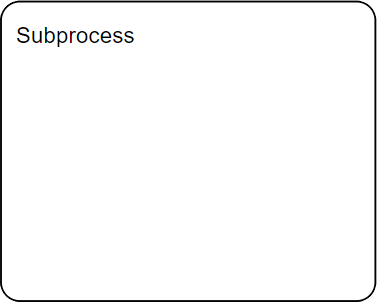
A sub-process is a complete workflow that runs as part of another workflow.

<img src="/files/xC5rrFYTFamfboiMb8TD" alt="" width="25%">

## General properties

| Property      | Description                                                      |
| ------------- | ---------------------------------------------------------------- |
| Model ID      | The unique identifier of the element within the process model.   |
| Name          | The name of the element displayed in the diagram.                |
| Documentation | A description and any additional information about this element. |

## Multi instance properties

| Property                                                                                                                   | Description                                                                                                                                                                                                                                                                                                                                                                                                                                                                                                                                                                                                                                                                                                                                                                                                                                                                                                                                                                                                                                                                                                                                                                                                                                                                                                                                                                                                                                                                                                                                                                                                                                                                                                                                                                                                                                                                                                                                                                                                                                                                                                                                                                                                                                                                                                                                                                                                                                                                                                                                                                                                                                                                                                                                                                                                                                |
| -------------------------------------------------------------------------------------------------------------------------- | ------------------------------------------------------------------------------------------------------------------------------------------------------------------------------------------------------------------------------------------------------------------------------------------------------------------------------------------------------------------------------------------------------------------------------------------------------------------------------------------------------------------------------------------------------------------------------------------------------------------------------------------------------------------------------------------------------------------------------------------------------------------------------------------------------------------------------------------------------------------------------------------------------------------------------------------------------------------------------------------------------------------------------------------------------------------------------------------------------------------------------------------------------------------------------------------------------------------------------------------------------------------------------------------------------------------------------------------------------------------------------------------------------------------------------------------------------------------------------------------------------------------------------------------------------------------------------------------------------------------------------------------------------------------------------------------------------------------------------------------------------------------------------------------------------------------------------------------------------------------------------------------------------------------------------------------------------------------------------------------------------------------------------------------------------------------------------------------------------------------------------------------------------------------------------------------------------------------------------------------------------------------------------------------------------------------------------------------------------------------------------------------------------------------------------------------------------------------------------------------------------------------------------------------------------------------------------------------------------------------------------------------------------------------------------------------------------------------------------------------------------------------------------------------------------------------------------------------ |
| Multi instance type                                                                                                        | <p>Determines if multiple instances of this activity are created:</p><ul><li><strong>None</strong> (default): Only one instance is created.</li><li><strong>Parallel</strong>: Activities are created in parallel. This is good practice for user tasks.</li><li><strong>Sequential</strong>: Activities are created sequentially. This is good practice for service tasks.</li></ul>                                                                                                                                                                                                                                                                                                                                                                                                                                                                                                                                                                                                                                                                                                                                                                                                                                                                                                                                                                                                                                                                                                                                                                                                                                                                                                                                                                                                                                                                                                                                                                                                                                                                                                                                                                                                                                                                                                                                                                                                                                                                                                                                                                                                                                                                                                                                                                                                                                                      |
| Collection                                                                                                                 | <p>Expression to set the loop collection for a multi-instance task. The number of instances is determined by the elements of a collection. For each element in the collection, a new instance is created.</p><p>A common use case is to loop over lists created by multi-element subforms. For example, if you bound a subform to an array of invoice positions using the expression <code>invoicePositions</code>, you can set the loop collection to <code>${invoicePositions}</code> to loop over each position.</p>                                                                                                                                                                                                                                                                                                                                                                                                                                                                                                                                                                                                                                                                                                                                                                                                                                                                                                                                                                                                                                                                                                                                                                                                                                                                                                                                                                                                                                                                                                                                                                                                                                                                                                                                                                                                                                                                                                                                                                                                                                                                                                                                                                                                                                                                                                                    |
| Element variable                                                                                                           | <p>The name of the variable where the currently processed item from the loop collection is stored, for example <code>invoicePosition</code>.</p><p>You can access the element in the process through an expression, for example <code>${invoicePosition}</code>. To access the element in a form, you can add a task listener that copies the variable on creation from the execution level to a local task variable, for example <code>${task.setVariableLocal("invoicePosition",invoicePosition)}</code>. The element is then available in the form through the <code>task.invoicePosition</code> variable.</p>                                                                                                                                                                                                                                                                                                                                                                                                                                                                                                                                                                                                                                                                                                                                                                                                                                                                                                                                                                                                                                                                                                                                                                                                                                                                                                                                                                                                                                                                                                                                                                                                                                                                                                                                                                                                                                                                                                                                                                                                                                                                                                                                                                                                                          |
| Element index variable                                                                                                     | <p>The name of the variable where the index of the currently processed item from the loop collection is stored, for example, <code>itemIndex</code>.</p><p>The index starts with 0 and increases with every element that is being looped through. You can access the index in the process through an expression, for example <code>${itemIndex}</code> in the process. To access the index in a form, you can add a task listener that copies the variable on creation from the execution level to a local task variable, for example <code>${task.setVariableLocal("itemIndex", itemIndex)}</code>. The index is then available in the form through the <code>task.itemIndex</code> variable.</p>                                                                                                                                                                                                                                                                                                                                                                                                                                                                                                                                                                                                                                                                                                                                                                                                                                                                                                                                                                                                                                                                                                                                                                                                                                                                                                                                                                                                                                                                                                                                                                                                                                                                                                                                                                                                                                                                                                                                                                                                                                                                                                                                         |
| Cardinality                                                                                                                | A number or an expression that evaluates to an integer, which controls the number of activity instances that are created. If the attribute **Collection** is empty, a new instance is created for every element of the list. With cardinality, you can overwrite this and only create a given number of instances. You can also use this attribute if you want to loop over an activity a given number of times without specifying a collection.                                                                                                                                                                                                                                                                                                                                                                                                                                                                                                                                                                                                                                                                                                                                                                                                                                                                                                                                                                                                                                                                                                                                                                                                                                                                                                                                                                                                                                                                                                                                                                                                                                                                                                                                                                                                                                                                                                                                                                                                                                                                                                                                                                                                                                                                                                                                                                                           |
| Completion condition                                                                                                       | A Boolean expression that when `true` cancels the remaining activity instances, stopping the loop, and produces a token.                                                                                                                                                                                                                                                                                                                                                                                                                                                                                                                                                                                                                                                                                                                                                                                                                                                                                                                                                                                                                                                                                                                                                                                                                                                                                                                                                                                                                                                                                                                                                                                                                                                                                                                                                                                                                                                                                                                                                                                                                                                                                                                                                                                                                                                                                                                                                                                                                                                                                                                                                                                                                                                                                                                   |
| [Variable Aggregations](/workflows/designing-workflows/processes/process-execution/multi-instance-variable-aggregation.md) | <p>This option is applicable when the multi-instance type is either parallel or sequential. It automates the collection, consolidation, and transformation of data from multiple variables created or updated in each individual instance of a multi-instance execution.</p><ul><li><strong>Target</strong>: The name of the final variable that contains the aggregated data or an expression that resolves to a variable name at runtime. The aggregated variable is typically a JSON array. All variable definitions from the same aggregation contribute to a single target variable.</li><li><p><strong>Type</strong>: The method used for aggregation:</p><ul><li><strong>Default</strong>: Uses the out-of-the-box aggregation logic, which is suitable for most use cases.</li><li><strong>Custom</strong>: Allows for advanced aggregation logic by specifying a <strong>Delegate Expression</strong> or a <strong>Class</strong> that implements the <code>VariableAggregator</code> interface. This option provides an extension point for highly specific requirements.</li></ul></li><li><p><strong>Target variable creation</strong>: A predefined list of options that determine when and how the target variable is created and persisted:</p><ul><li><strong>Default</strong>: Creates the target variable as a normal, persisted process variable only after all multi-instance executions are completed. This is the standard behavior for a "map-reduce" pattern.</li><li><strong>Create overview variable</strong>: Creates the variable at the start of the multi-instance loop and is continuously updates it as each child instance is completed. This allows for real-time access to the aggregated data by any running process instance. The final variable created is a normal, persisted JSON variable.</li><li><strong>Store as transient variable</strong>: Creates the target variable upon completion of all instances, similar to the <strong>Default</strong> option, but as a non-persisted or transient variable. This data is not saved to the process history and is suitable for temporary or intermediate data that is not needed for auditing or long-term storage.</li></ul></li><li><p><strong>Definitions</strong>: A list of definitions that map source variables from each multi-instance execution to a target variable key in the final aggregated collection. For each definition, you specify a key-value pair that to be included in the JSON object representing the aggregated data:</p><ul><li><strong>Source</strong>: The input data, as variable name or expression.</li><li><strong>Target</strong>: The key under which the source data is stored in the final JSON array. If the target name is identical to the source variable, the target is optional.</li></ul></li></ul> |

## Advanced properties

| Property                                                                                              | Description                                                                                                                                                                                                                                                                                                                                                                                                                                                                                                   |
| ----------------------------------------------------------------------------------------------------- | ------------------------------------------------------------------------------------------------------------------------------------------------------------------------------------------------------------------------------------------------------------------------------------------------------------------------------------------------------------------------------------------------------------------------------------------------------------------------------------------------------------- |
| [Asynchronous](/workflows/designing-workflows/processes/process-execution.md#asynchronous-activities) | <p>Whether the activity starts as an asynchronous job, placing a transaction boundary before the activity:</p><ul><li><strong>No</strong> (default): Synchronous.</li><li><strong>Yes, exclusive</strong>: Asynchronous and with no other exclusive asynchronous jobs in the same process run at the same time.</li><li><strong>Yes, non-exclusive</strong>: Asynchronous and can run concurrently with other asynchronous jobs in the same process.</li></ul>                                                |
| Leave asynchronously                                                                                  | <p>Whether the activity leaves as an asynchronous job after it completes, placing a transaction boundary before the process advances to the next element:</p><ul><li><strong>No</strong> (default): Synchronous.</li><li><strong>Yes, exclusive</strong>: Asynchronous and with no other exclusive asynchronous jobs in the same process run at the same time.</li><li><strong>Yes, non-exclusive</strong>: Asynchronous and can run concurrently with other asynchronous jobs in the same process.</li></ul> |
| Is transaction                                                                                        | Whether the activity is a transaction, representing a set of activities that logically belong together.                                                                                                                                                                                                                                                                                                                                                                                                       |
| Data objects                                                                                          | Defines the data objects or sub-process. Each data object will be initialized as a process variable under the defined named.                                                                                                                                                                                                                                                                                                                                                                                  |
| Execution listeners                                                                                   | <p>Allows you to invoke Java logic after certain events:</p><ul><li><strong>Start</strong>: Executes after the activity has been started.</li><li><strong>End</strong>: Executes after the activity was completed.</li><li><strong>Transition</strong>: When defined on a sequence flow, executes once the flow is transition is taken.</li></ul>                                                                                                                                                             |

## Visual properties

| Property         | Description                                         |
| ---------------- | --------------------------------------------------- |
| Font size        | The font size of the element in the diagram.        |
| Font weight      | The font weight of the element in the diagram.      |
| Font style       | The font style of the element in the diagram.       |
| Font color       | The font color of the element in the diagram.       |
| Background color | The background color of the element in the diagram. |
| Border color     | The border color of the element in the diagram.     |
